
How do I upgrade or downgrade my plan?
Your plan should fit how you actually use Zo, and you can change it yourself in just a few clicks.
Click your handle in the bottom left, then Billing.
Choose the plan you want (Free, Basic, Pro, or Ultra). Not sure which? Compare them on the pricing page.
Click Confirm.
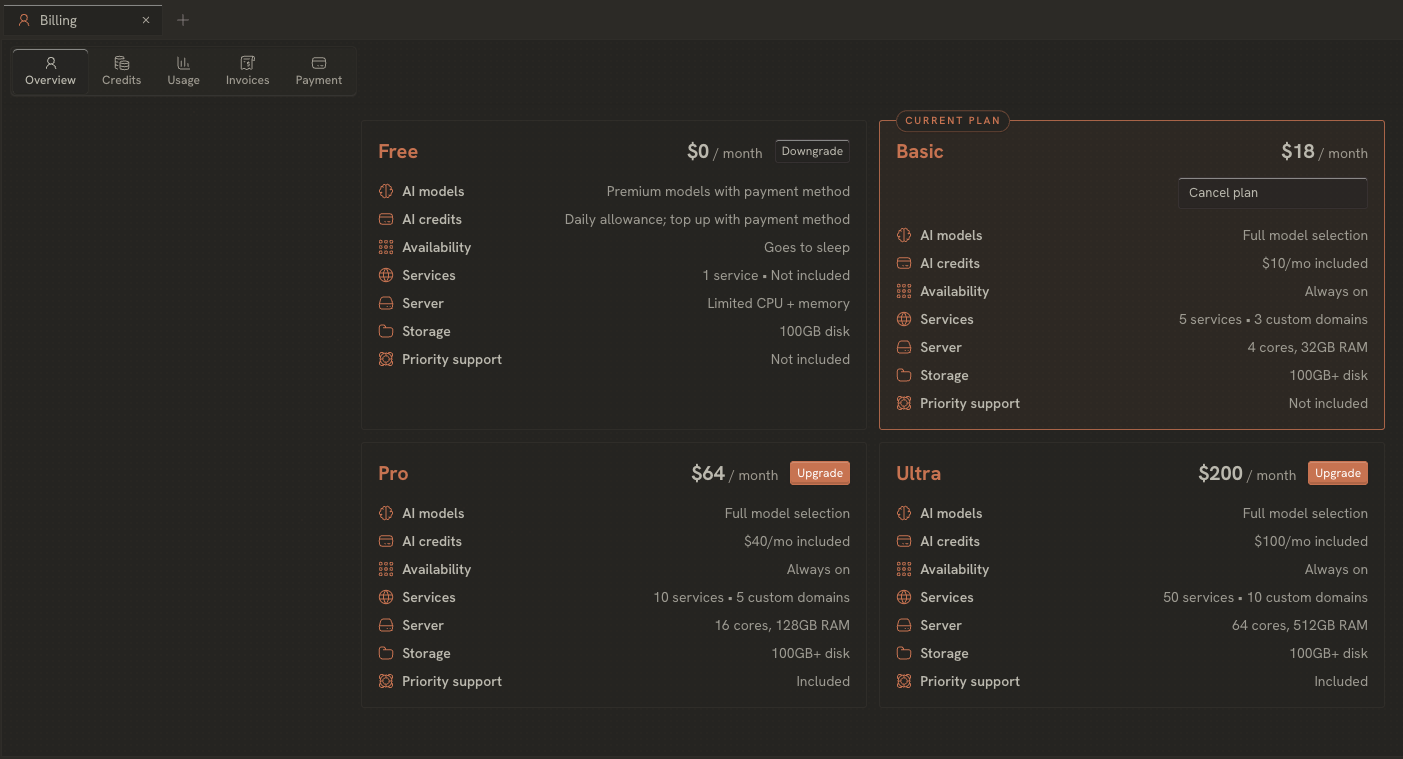
Plan changes take effect immediately. Upgrades give you the additional credits and compute capacity right away. Downgrades move you to the lower plan's limits straight away, and any unused credits remain for your use on the lower tier until the end of your billing period. The Subscription docs here cover what each plan includes.
Need a hand with anything else? Email us anytime at help@zocomputer.com, or hop into our Discord for real-time help from the team and the wider Zo community.