
How do I pay for my subscription?
Pick a plan, add a card, and you're all set!
Click your handle in the bottom left, then Billing.
Choose your plan (Basic, Pro, or Ultra). The pricing page has the side-by-side comparison.
Add your card and confirm.
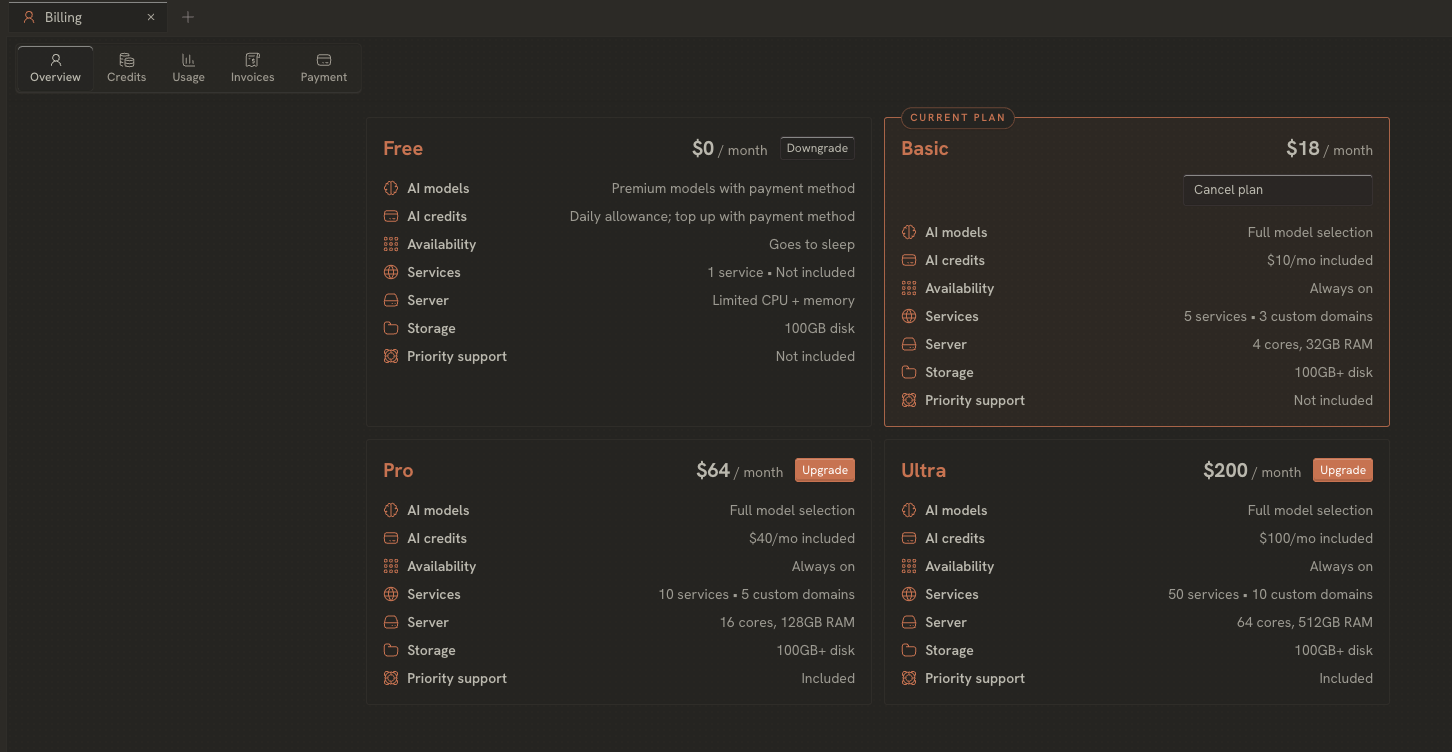
Your plan starts as soon as the payment goes through, and you can change or cancel it from the same screen any time. Your card details go straight to our payment processor (Stripe), so we never see or store your full card number. For how credits and AI billing work from there, see the Subscription docs.
Need a hand with anything else? Email us anytime at help@zocomputer.com, or hop into our Discord for real-time help from the team and the wider Zo community.